Mule Cube SD Card Kit
Just Add Pi
Skip the Setup, Keep the Savings
Already have a Raspberry Pi 5? The SD Card Kit gives you everything that runs on a Mule Cube — pre-installed and ready to go. Just plug it in, power on, and connect.
No hours of downloading datasets. No configuration. No troubleshooting. Just the same complete offline knowledge server as our full devices.
What’s On the Card
Pre-loaded and configured:
- Complete English Wikipedia (90GB+, 6+ million articles)
- Offline maps (Europe — other regions on request)
- 5,000+ classic books from Project Gutenberg
- Three AI models via Ollama (Llama, Gemma, Qwen)
- 49-language offline translation
- Password manager, collaborative docs, local chat
- All services configured and ready to use
Map Coverage
| Included by Default | Available on Request |
|---|---|
| Netherlands | North America |
| Belgium | South America |
| Germany | Australia/Oceania |
| France | Asia |
| Great Britain | Africa |
| Italy | Nordic Countries |
| Switzerland | Eastern Europe |
| Greece | Middle East |
Request additional regions at checkout or via email. Some large regions (e.g., full USA) may require storage upgrade.
Total content size: ~400GB
Card capacity: 512GB (room for your own additions)
Requirements
| Component | Requirement |
|---|---|
| Raspberry Pi | Pi 5 required (4GB RAM minimum, 8GB recommended) |
| Power Supply | 27W USB-C (official Pi 5 PSU recommended) |
| Cooling | Heatsink required — active cooling recommended |
| Case | Any Pi 5 compatible case |
Note: Note: This card is optimized for Raspberry Pi 5. It will not work properly on Pi 4 or earlier models due to different boot requirements and performance needs.
What You Still Need
The SD Card Kit includes only the pre-flashed microSD card. You’ll need to source:
- Raspberry Pi 5 (4GB or 8GB) — ~€60-80
- Power supply (27W USB-C) — ~€15
- Case with cooling — ~€15-30
- Total additional cost: ~€90-125
Compared to Cube 8 (€499): You save €275-300 but provide your own hardware.
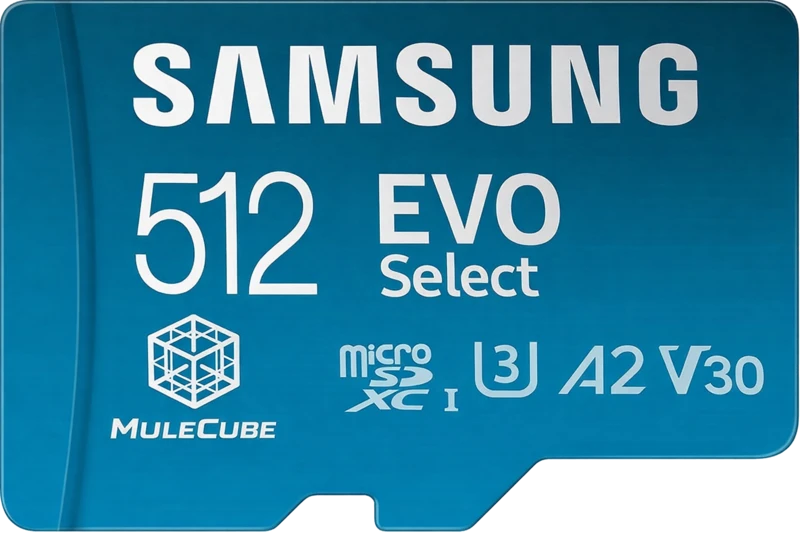
The Card
| Specification | Details |
|---|---|
| Brand | Samsung EVO Select |
| Capacity | 512GB |
| Speed | Up to 160MB/s read, A2 rated |
| Class | UHS-I, U3, V30 |
| Durability | Waterproof, temperature-proof, X-ray proof |
How It Works
- Insert the SD card into your Raspberry Pi 5
- Connect power and wait 2-3 minutes for first boot
- Join the “MuleCube” WiFi network from any device
- Open your browser — you’re done
No monitor, keyboard, or configuration needed. The card boots directly into server mode.
Perfect For
- — Makers who already have Pi hardware
- — Budget builds — get the software without the hardware markup
- — Tinkerers who want to customize their own enclosure
- — Educators deploying multiple units on existing hardware
What About Updates?
The card ships with the latest stable release. Future updates can be applied via SSH or by downloading update scripts from our GitHub repository.
Want the Complete Package?
If you’d rather have everything ready in a box: